

Security Groups
A Security Group (SG) acts as a virtual firewall, defining which traffic is allowed to reach your server (VM/instance) and which is blocked. Unlike network-level controls, Security Groups operate directly at the instance level, giving each VM its own protective shield.
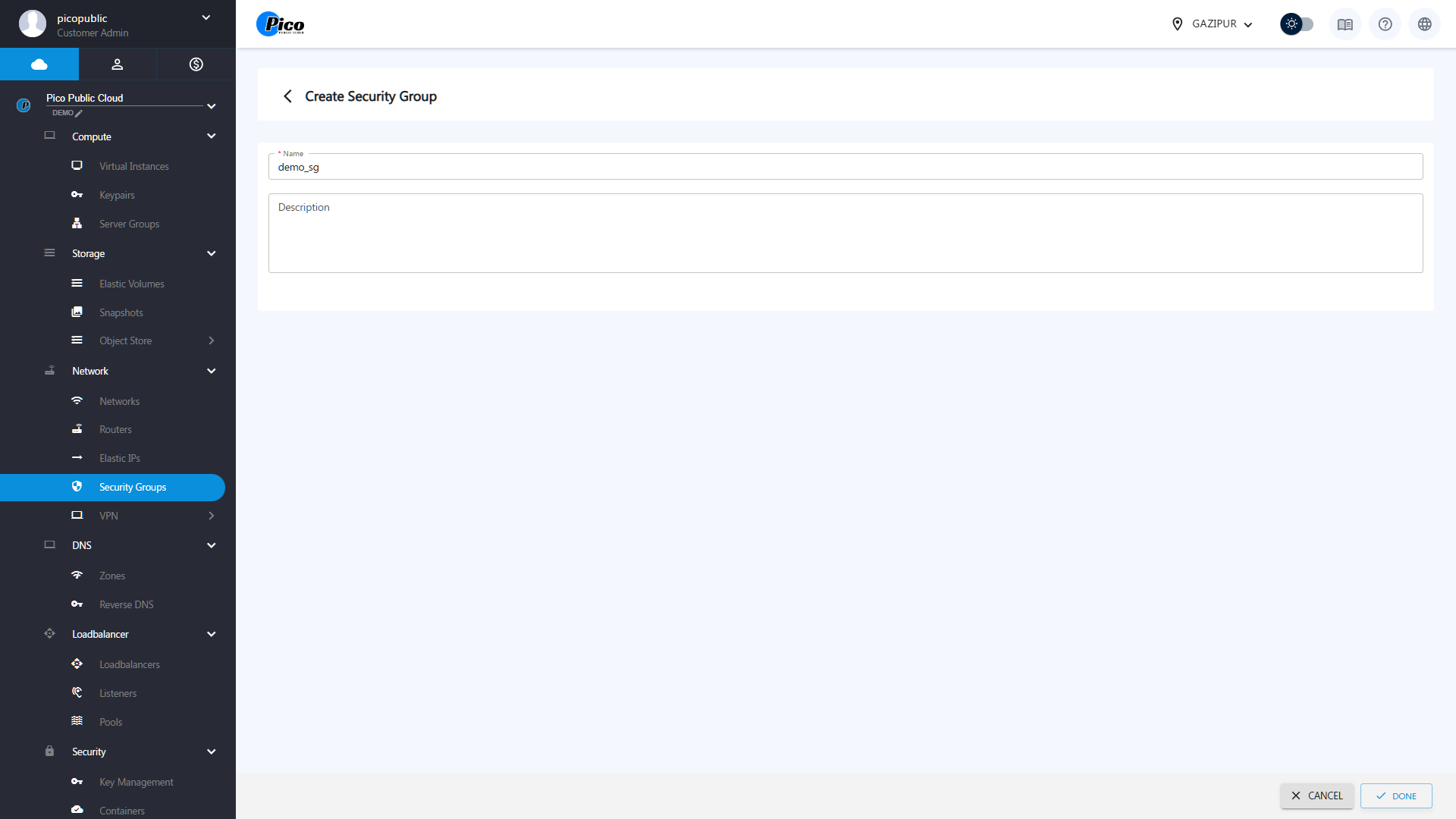
Creating a Security Group
- Click on the create button
- Give your security group a name and description
- Press Done
Editing Security Groups
Users can change an existing security group name and description:
- Select a Security Group
- Click on the Edit button
- Change your security group name and description
- Press Done
Deleting Security Groups
To delete an existing Security Group: Select a Security Group Click on the DELETE button. Press CONFIRM.
Security Rules
Every Security Group contains a set of security rules. These rules define how traffic flows in and out (ingress and egress) of your virtual machines and control which protocols, such as ICMP or TCP, are allowed.
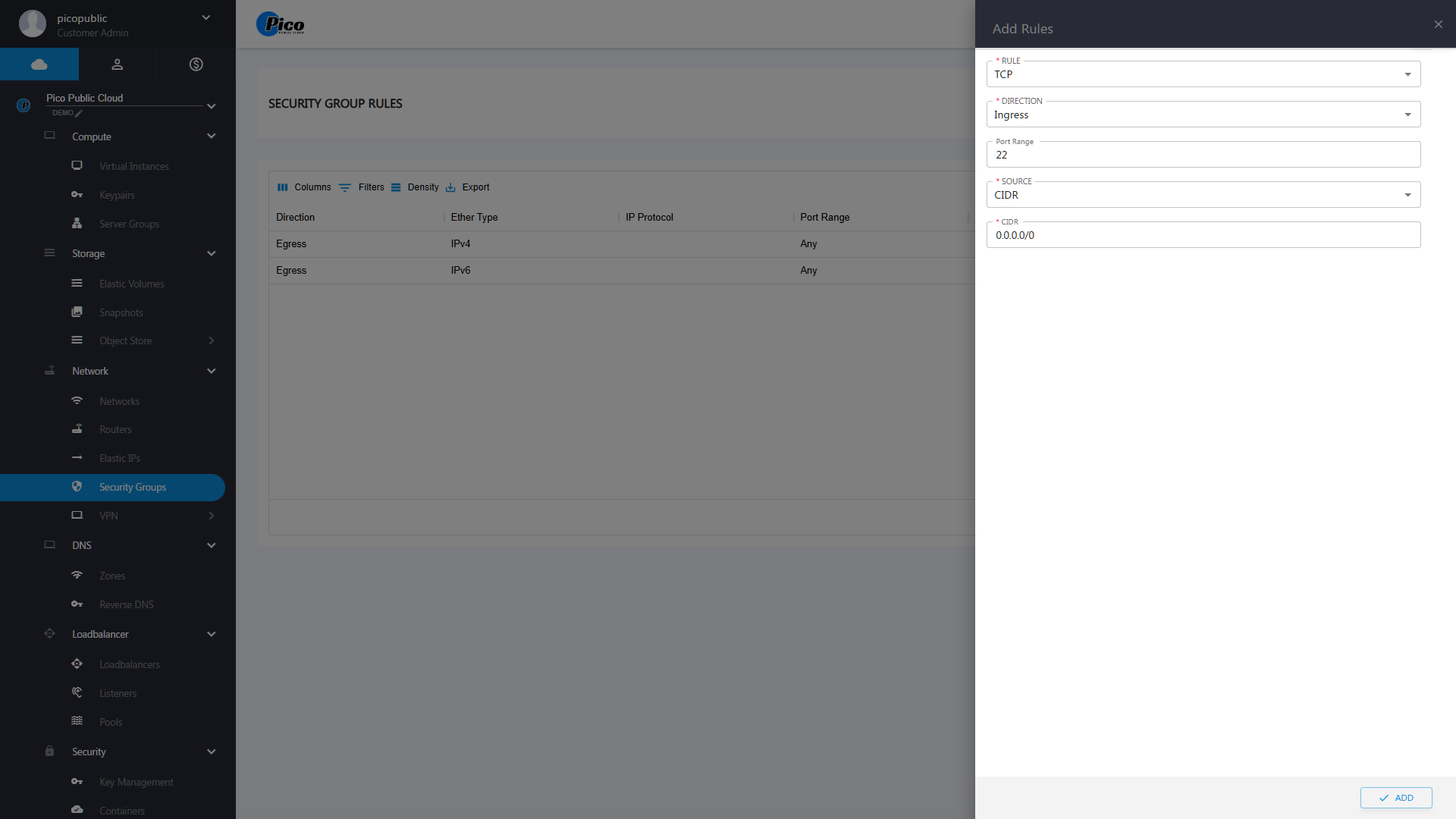
Creating Security Rules
To create a security rule, do the following:
- Select a Security Group
- Click on Add Rule
- Select the Rule (TCP, UDP, ICMP)
- Select The Direction (Ingress/Egress)
- Type the Port Range
- Select the Source(CIDR/Security Group)
- Then Click ADD
Deleting Security Rules
To delete an existing Security Rule, you have to do the following:
- Click on the DELETE icon
- Press CONFIRM