

Discover tutorials, user manuals, and more.
-
Products & Pricing
-
Dashboard
-
Providers
-
-
-
- Articles coming soon
-
-
-
- Articles coming soon
-
User Management
-
Billing & Reports
-
-
- Articles coming soon
-
- Articles coming soon
-
-
-
- Articles coming soon
-
Click Loadbalancer and create a pool
- Fill in the required details, such as:
- Pool Name
- Description
- Select Session Persistence
- Algorithom
- Protocol
- Admin State up (true/false)
- Click on new pool and add the pool member
- Fill in the required details, such as:
- Name
- IP address
- Subnet
- Port
- Weight
- Select Admin State
- Select Backup (If required)
Click Done, and once the pool member is added, test the LB.
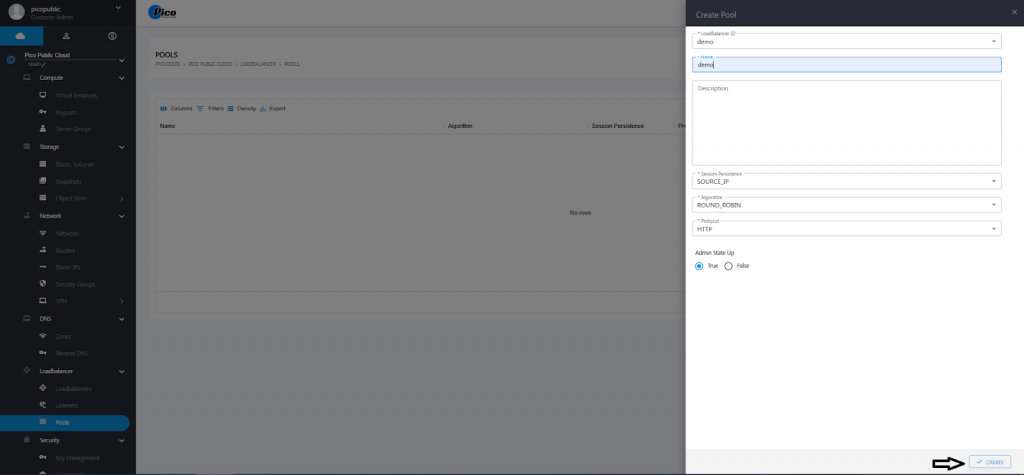
Table of Contents